


Wondershare for Everyday Creators: A Practical Toolkit for Video, PDF, and File Problems

Digital work has changed shape.
It used to be enough to write a document, attach it to an email, and move on. Today, most people are expected to produce “multi-format output” all the time: a short video for social media, a PDF proposal for a client, a converted file for a coworker, and occasionally a recovery plan when something breaks.
The surprising part is not the variety. It is the speed. Deadlines are shorter, channels are more crowded, and expectations are higher. Even a small team is expected to look polished.
This is where approachable software matters. Not everyone wants—or needs—a heavy professional suite. Many people need tools that help them finish work quickly without turning the process into a technical hobby.
Wondershare is built around that reality. Instead of focusing on one category, it supports common “everyday outputs” that show up in modern workflows: quick video creation, practical PDF tasks, and utilities that help when your files don’t behave.

Professional Output Is No Longer Just for Professionals
Two forces are pushing professional-quality expectations into everyday work.
- Content is now a business function: Video and visual media influence sales, hiring, partnerships, and customer trust.
- Tools are getting friendlier: AI helpers and simplified interfaces reduce the gap between “I have an idea” and “I have a finished asset.”
As a result, the modern workplace has a new baseline: people who are not designers still create designer-adjacent work.
Video is the fastest way to communicate value
Whether you sell products, run a course, or promote a service, video is often the quickest path to clarity. A short clip can demonstrate what a paragraph cannot: motion, context, and “feel.”
PDF is still the most trusted format
When a decision matters—contracts, approvals, formal documentation—PDF remains the standard. It’s the file format that signals finality and professionalism. The issue is that “final” does not mean “unchangeable,” and people often need to edit, sign, combine, or convert PDFs under time pressure.
Unexpected file issues happen more than anyone admits
Lost files, broken projects, corrupted downloads, and missing attachments are the quiet productivity killers. They rarely appear in planning, but they show up in real life—especially for people handling media.
Why Creative and Document Tools Feel Hard for Normal People
The problem is not intelligence. It is tool design.
Many “industry standard” tools assume you are a specialist
Professional software is often optimized for depth rather than speed. If you edit video for a living, that depth is a gift. If you just need to publish consistent clips for marketing, the same depth can slow you down.
Learning curves turn into hidden expenses
A common mistake is to evaluate tools only by subscription price. Time is a bigger cost. When tools require extensive training, the real price becomes:
- Lost hours during setup
- Reduced consistency because work “takes too long”
- More reliance on freelancers for basic tasks
Complex tools create hesitation
When software feels intimidating, people delay projects. They keep drafts unfinished. They post less content than they should. Over time, output gaps become growth gaps.
Approachable tools reduce friction and encourage execution. That is the strategic value many users are looking for.
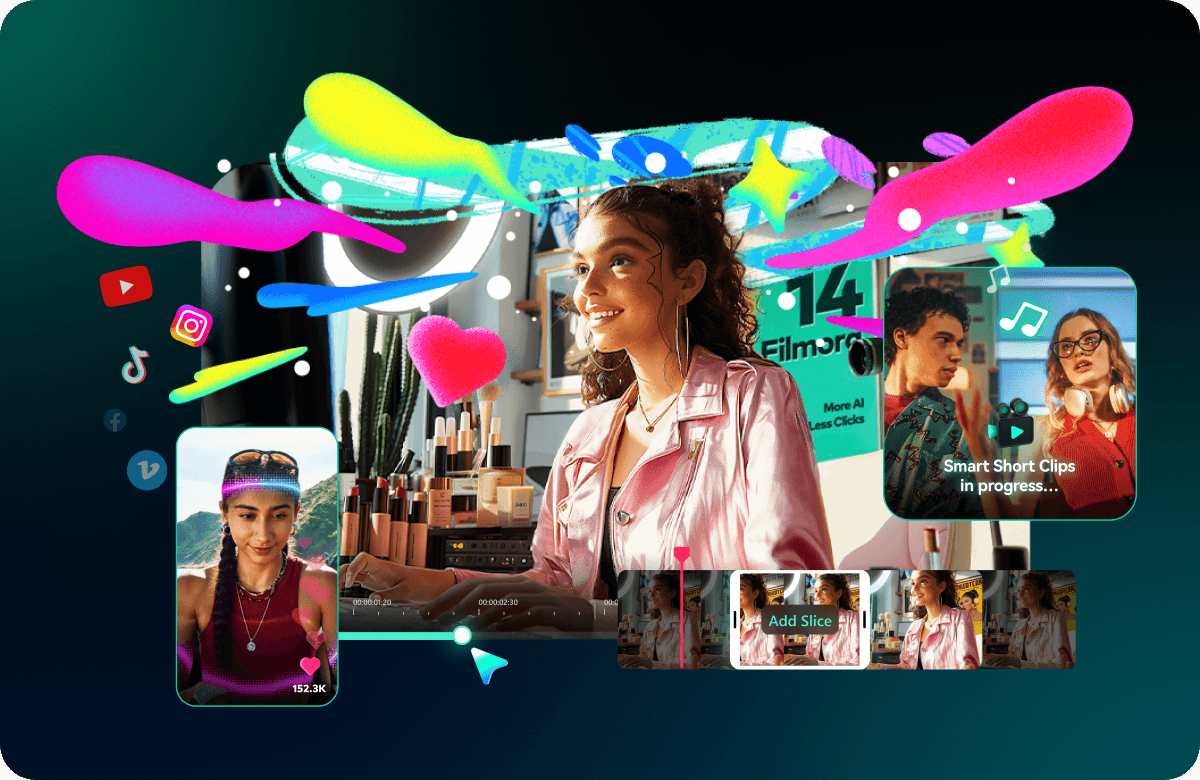
Where Wondershare Fits: Video, PDF, and Everyday Fixes
Wondershare’s ecosystem makes the most sense when you think in “workflow blocks.” What are you trying to produce, and what slows you down?
Filmora: video editing built for fast publishing
Filmora is often chosen by people who want an editor that feels intuitive and modern. The goal is to reduce technical overhead so you can focus on message and pacing.
Typical use cases include:
- Editing short-form marketing videos and UGC-style clips
- Turning raw footage into clean content with transitions and text overlays
- Creating simple product demos or tutorial videos
- Repurposing content for different platforms
For many everyday creators, the “best editor” is the one they will actually use consistently.
PDFelement and HiPDF: PDFs without the headache
PDF work is usually urgent, not artistic. People want to edit a line, sign a document, merge files, or convert formats without breaking layout or wasting an afternoon.
Practical PDF workflows often include:
- Editing: adjust text, fix typos, update content
- Converting: move between PDF, Word, Excel, and images
- Organizing: merge, split, reorder, compress
- Approving: support signature and review needs
If your work touches clients, students, vendors, or internal teams, PDF speed becomes a real advantage.
Utilities: the backup plan you wish you had sooner
Utilities are not glamorous. That is exactly why they matter. In real workflows, “unexpected problems” create the biggest delays:
- A file gets deleted or goes missing
- A drive fails or becomes unreadable
- A downloaded file won’t open properly
Wondershare’s utility tools are designed to reduce damage when these events happen. Think of them as a recovery layer: not something you want to use daily, but something you’re glad exists when reality hits.
Who Gets the Most Value From Wondershare
Wondershare is a good fit when you care about output quality but prefer tools that feel approachable and efficient.
Small creators and solo entrepreneurs
When you create content for growth, speed matters. Filmora helps you move from raw footage to publishable content without treating editing as a full-time job.
Small businesses that handle content in-house
Many small companies do not hire a full creative team. They still need marketing videos, polished PDFs, and reliable file workflows. A toolkit that supports multiple needs can reduce tool sprawl.
Students and educators
Assignments, submissions, lesson materials, and recorded presentations are all common. Students and teachers need to spend time learning, not wrestling with software.
Office workers and remote teams
Remote work creates constant file exchange. If your day includes PDFs, conversions, and content updates, tools that reduce friction are productivity tools, not “creative tools.”

A Workflow-First Way to Decide What to Use
If you want to evaluate Wondershare without getting lost in product lists, start with the kind of output you create most often.
| If your week looks like… | You likely need… | Wondershare direction |
|---|---|---|
| Frequent social posts and short videos | Fast editing, captions, clean exports | Start with Filmora |
| Clients and partners exchanging PDFs | Edit/convert/sign/organize quickly | Start with PDFelement / HiPDF |
| Managing lots of important files | A safety net for loss/corruption | Consider recovery/repair utilities |
Choosing tools this way keeps the decision grounded: you start where your friction is highest.
How to Use Wondershare More Effectively Over Time
The best results come from simple systems, not constant experimentation. Here are habits that help people get more value from these tools.
- Create repeatable templates: Save editing presets or document layouts so each project starts faster.
- Build a “publish routine”: Batch editing and exports to reduce context switching.
- Standardize file naming and storage: You will prevent problems before you need recovery tools.
- Measure output, not just effort: If a tool helps you ship more consistently, it is improving ROI.
If you want to explore Wondershare options directly, this is a useful starting point: Wondershare Software.
Final Thoughts: The Best Tool Is the One That Keeps You Moving
Modern work rewards execution. The gap between “idea” and “output” is where most people lose momentum.
Wondershare is compelling because it targets that gap. Filmora supports faster video creation, PDF tools reduce document friction, and utilities exist for the moments when files fail you at the worst time.
For creators, students, and small teams, the practical win is not just features. It is consistency. When tools feel easier, people create more, deliver faster, and keep their digital work moving forward.
If your workflow involves video, PDFs, or frequent file handling, Wondershare is worth considering as a streamlined toolkit built for real-life output.
FAQ
Is Wondershare a replacement for professional suites?
It depends on your needs. Many users choose Wondershare because it makes everyday work faster and more approachable, while still producing professional-looking results.
What’s the main advantage of using a workflow-focused toolkit?
Less friction. Tools that fit your day-to-day tasks reduce delays, improve consistency, and help you finish work without unnecessary complexity.
Do I need both video and PDF tools?
Only if your workflow demands it. Start with the category that causes the most frequent bottlenecks, then expand as needed.
Why do file utilities matter if I rarely have problems?
Because file issues are rare until they’re not. If losing a project would be costly, utilities can act like insurance for your workflow.
Where should I begin?
Begin with your most common output: video for content, PDF tools for documents, or utilities if your work depends on important files.


