


How EaseUS Helps You Protect, Recover, and Control Your Data

Data has quietly become one of the most valuable assets in everyday life. From personal photos and work documents to business systems and creative projects, almost everything we rely on today exists in digital form. Yet data loss, corruption, and system failure remain common problems, often appearing without warning.
EaseUS has spent more than two decades building tools designed to solve exactly these challenges. Rather than focusing on a single function, EaseUS offers a complete ecosystem that covers data backup, recovery, storage management, and multimedia workflows. This article explores how EaseUS approaches data protection as a system, not just a feature.

Why Data Safety Is No Longer Optional
Data loss is no longer limited to rare hardware failures. It often happens during routine actions such as system updates, accidental deletions, or unexpected shutdowns. Malware, ransomware, and disk corruption add another layer of risk.
For individuals, the loss may involve irreplaceable memories. For businesses, it can mean downtime, financial damage, or compliance issues. What both groups share is the need for reliable tools that reduce risk before problems occur and provide recovery options when they do.
EaseUS as a Complete Data Protection Platform
EaseUS does not treat backup, recovery, and storage as isolated problems. Instead, it builds software designed to support the entire data lifecycle.
The EaseUS ecosystem focuses on four core areas:
- Data backup and restore
- Data recovery from lost or deleted files
- Partition and storage management
- Multimedia creation and screen recording
This integrated approach allows users to manage data proactively rather than reacting only after something goes wrong.
Data Backup: The Foundation of Digital Security
Backup is the first line of defense against data loss. EaseUS offers backup solutions tailored for both home users and businesses.
Instead of relying solely on manual file copying, EaseUS backup tools automate the process. Users can schedule backups, select specific folders or system images, and restore data when needed.
For businesses, structured backup reduces operational risk. For individuals, it creates peace of mind by ensuring files remain accessible even after hardware failure.
By using EaseUS backup solutions, users reduce dependency on a single device or storage location.

Data Recovery When the Unexpected Happens
Even with backups in place, unexpected loss still occurs. Files may be deleted accidentally, drives formatted incorrectly, or partitions corrupted.
EaseUS Data Recovery Wizard addresses these scenarios by scanning storage devices at a low level. It supports recovery from:
- HDDs and SSDs
- USB flash drives
- SD cards and memory cards
- Digital cameras
The software is available for both Windows and Mac, making recovery accessible across platforms.
Preview functions help users verify files before recovery, reducing the risk of restoring unusable data.
Partition Master: Control Over Storage Structure
Storage management is often overlooked until something breaks. Partition issues can slow systems, cause boot failures, or make data inaccessible.
EaseUS Partition Master 20.0 addresses this problem by giving users control over how storage is organized.
Key use cases include:
- Resizing partitions without data loss
- Migrating systems to larger drives
- Managing disk space efficiently
- Improving storage safety and performance
This tool is particularly useful when upgrading hardware or reorganizing storage to support larger files and faster transfers.
Multimedia Tools for Creative Workflows
EaseUS extends beyond data protection into multimedia productivity.
Its video editing and screen recording software supports users who create tutorials, presentations, or digital content. These tools simplify recording, editing, and exporting multimedia without requiring advanced technical skills.
For educators, marketers, and creators, this integration reduces the need to juggle multiple platforms.
Designed for Home and Business Users
EaseUS clearly separates solutions for home users and businesses.
Home users benefit from intuitive interfaces and guided workflows. Businesses gain access to scalable tools that support multiple systems and structured data protection strategies.
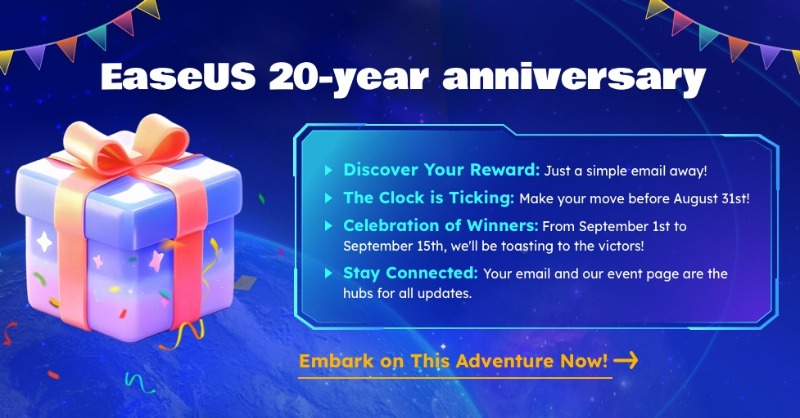
This flexibility explains why EaseUS has been trusted globally for over 20 years.
Security, Reliability, and User Trust
Data tools require trust. EaseUS emphasizes read-only scanning during recovery and non-destructive operations during partition management.
By minimizing risk during critical operations, the software protects remaining data while tasks are performed.
Longevity in the market also reflects ongoing updates, compatibility improvements, and evolving security practices.
Who Benefits Most from EaseUS
EaseUS serves a wide range of users:
- Individuals protecting personal files and memories
- Small businesses managing critical documents
- IT teams handling storage transitions
- Creators managing large multimedia projects
Rather than offering one-size-fits-all software, EaseUS adapts tools to different needs.
Final Thoughts
Data protection is no longer about reacting to emergencies. It is about building systems that prevent loss, simplify recovery, and keep storage organized.
By combining backup, recovery, partition management, and multimedia tools, EaseUS provides a comprehensive approach to securing digital life.
For users who value control, reliability, and long-term data safety, EaseUS represents a practical and proven solution.
FAQ
Is EaseUS suitable for both beginners and professionals?
Yes. The software offers guided workflows for beginners while supporting advanced use cases for professionals.
Does EaseUS work on both Windows and Mac?
Yes. Core products like Data Recovery Wizard are available for both platforms.
Can EaseUS recover data from external devices?
Yes. USB drives, SD cards, and digital camera storage are supported.
Is backup necessary if I use data recovery software?
Yes. Backup prevents loss, while recovery helps after issues occur. Both work best together.
How long has EaseUS been in the market?
EaseUS has been trusted worldwide for over 20 years.


